 Spectryse
Hear a fault. See it. Name it.
Spectryse is a Windows workstation for sound and vibration analysis. Open a recording and see its spectrogram and waveform in sync. Compare it with a library of known signatures. Check machine health against ISO 10816 and ISO 20816.
Spectryse is being prepared for release. One licence is USD 39.99, with a free 14-day trial.
See it in action
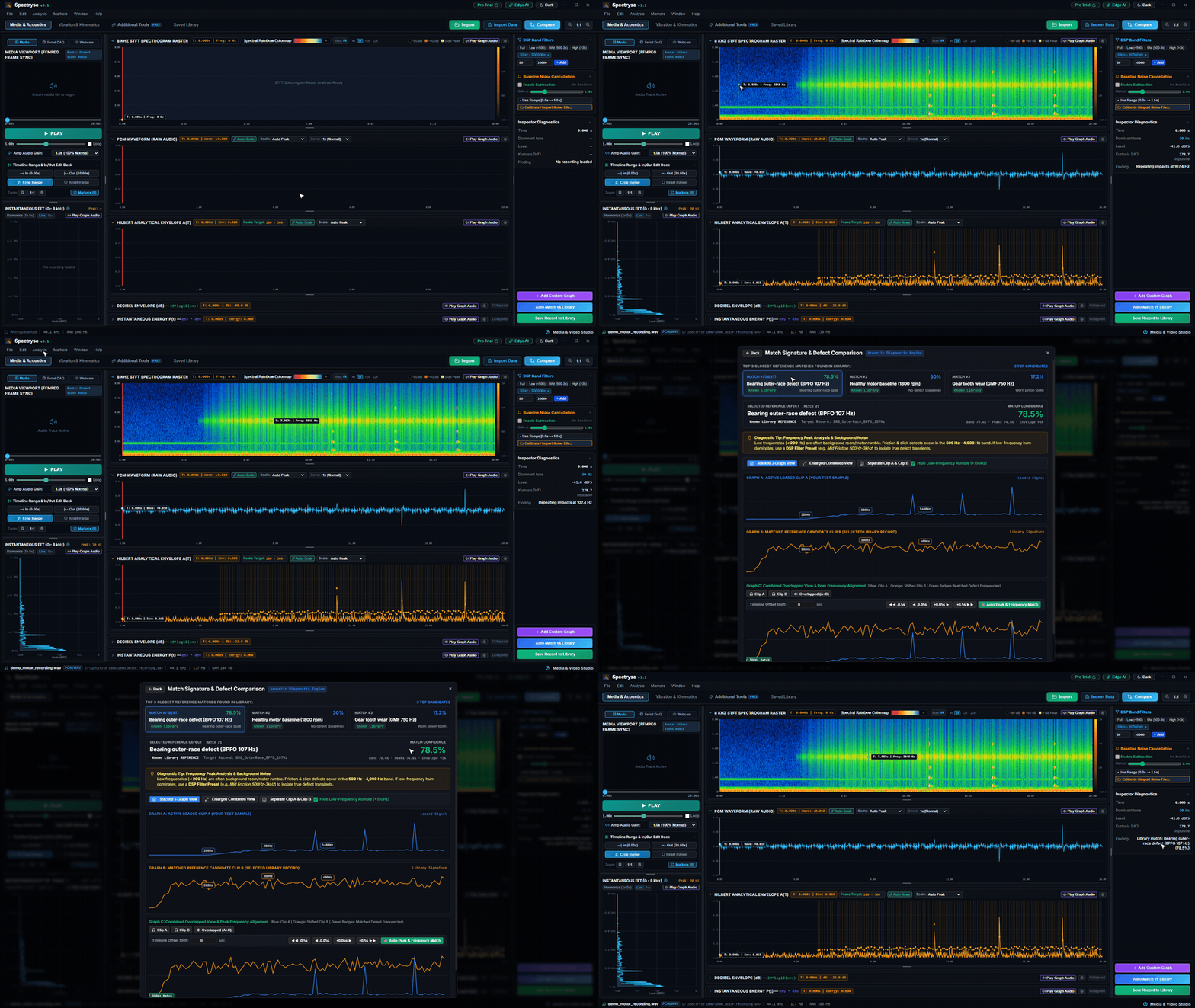
A recording analysed from start to finish in under 30 seconds.
Open any recording
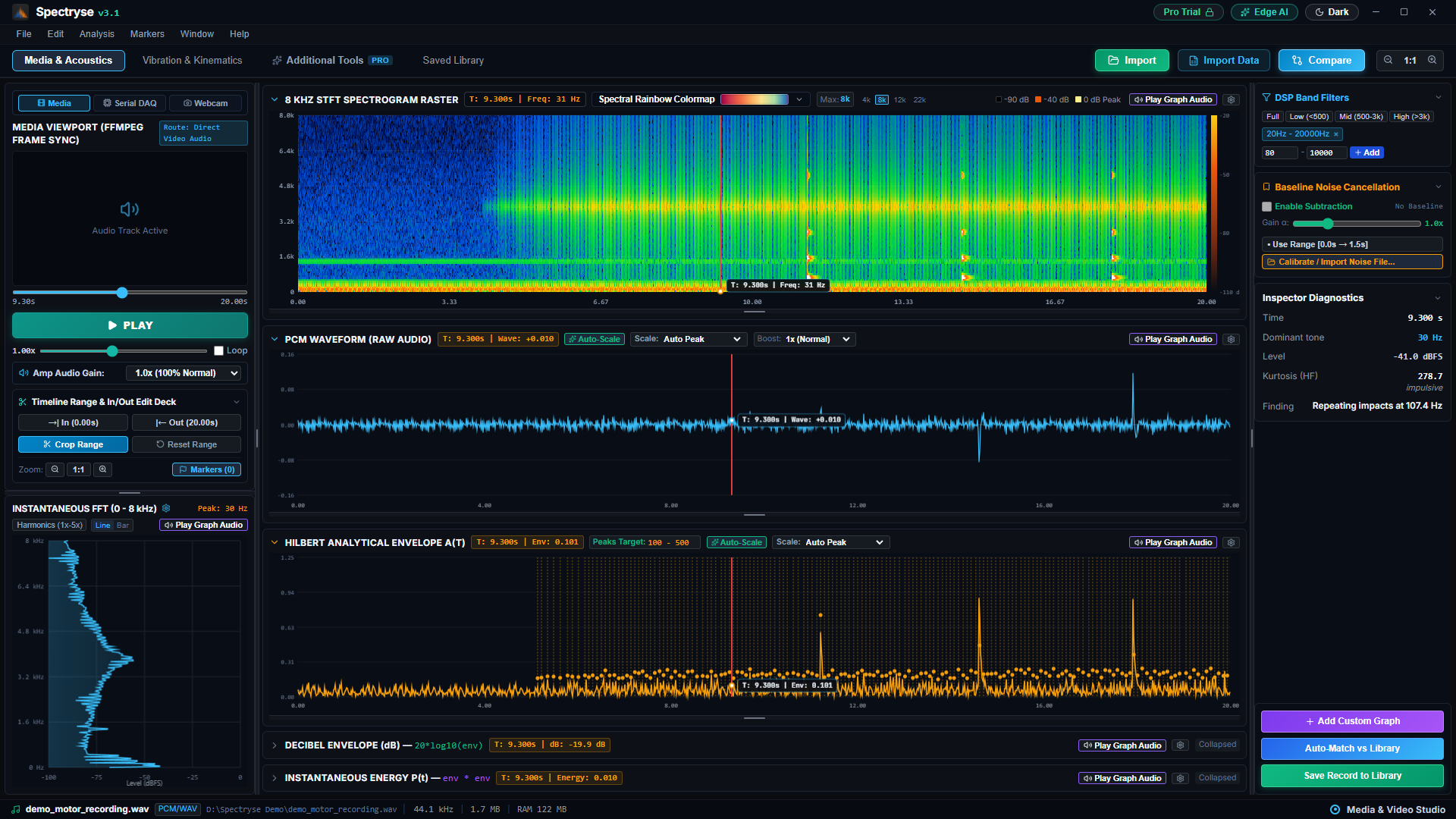
Video or audio from a phone, a camera or a data logger. The picture, the sound and the analysis stay in step.
- Common media formats. Import MP4, MKV, MOV, WAV, FLAC or MP3. Video plays beside the graphs, so you can see the moment a sound happens.
- Spectrogram and waveform in sync. A time and frequency heatmap above the waveform, with a playhead that follows playback. Hover to read the frequency and level.
- Slow it down. Play at 0.25x or 0.5x to watch and listen to a short event. Zoom any graph with the mouse wheel.
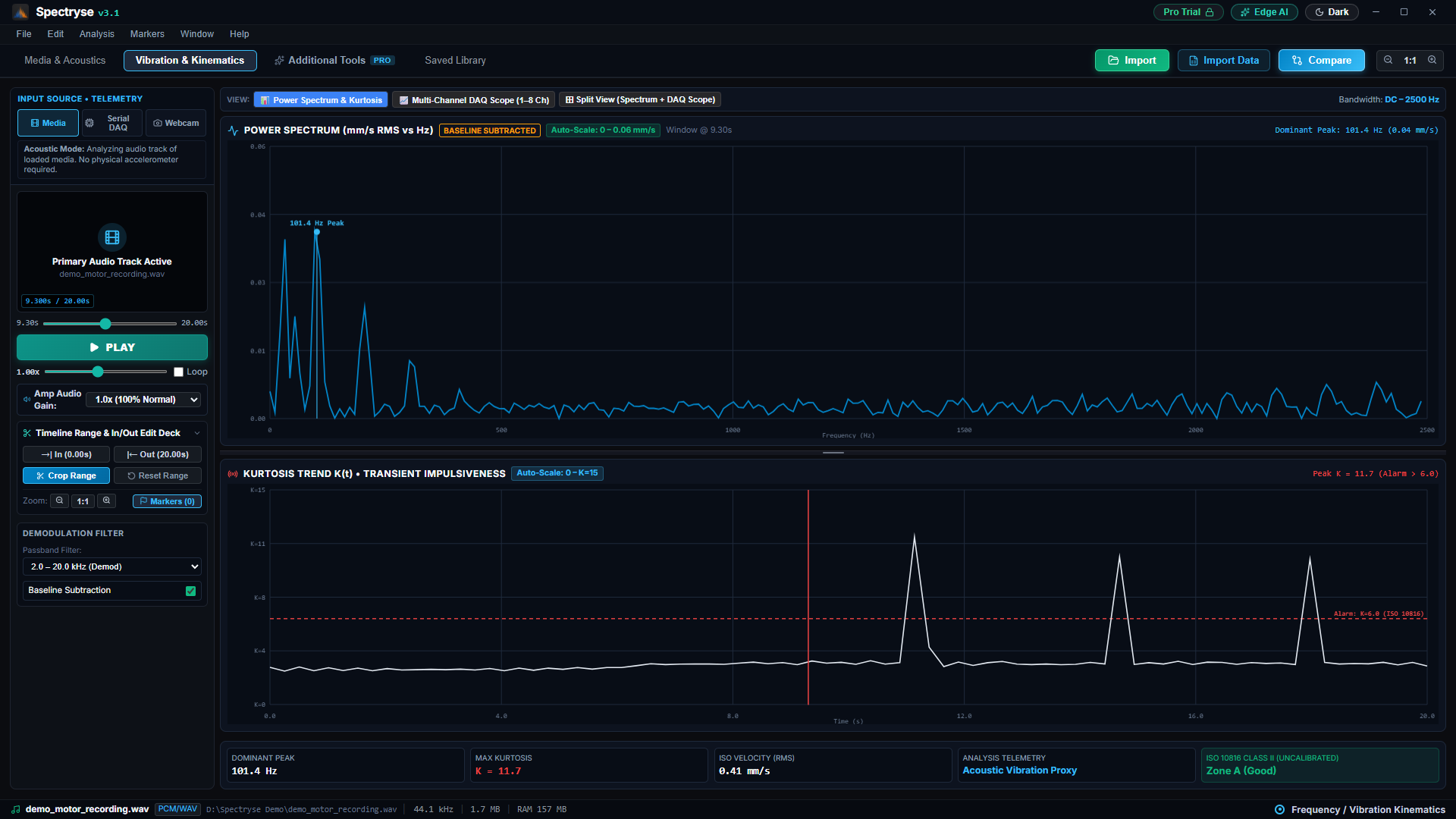
- Find the clicks. The Hilbert envelope and a kurtosis trend make short impacts stand out from steady noise. Filter presets (full, low, mid, high) narrow the band.
Compare with what you know
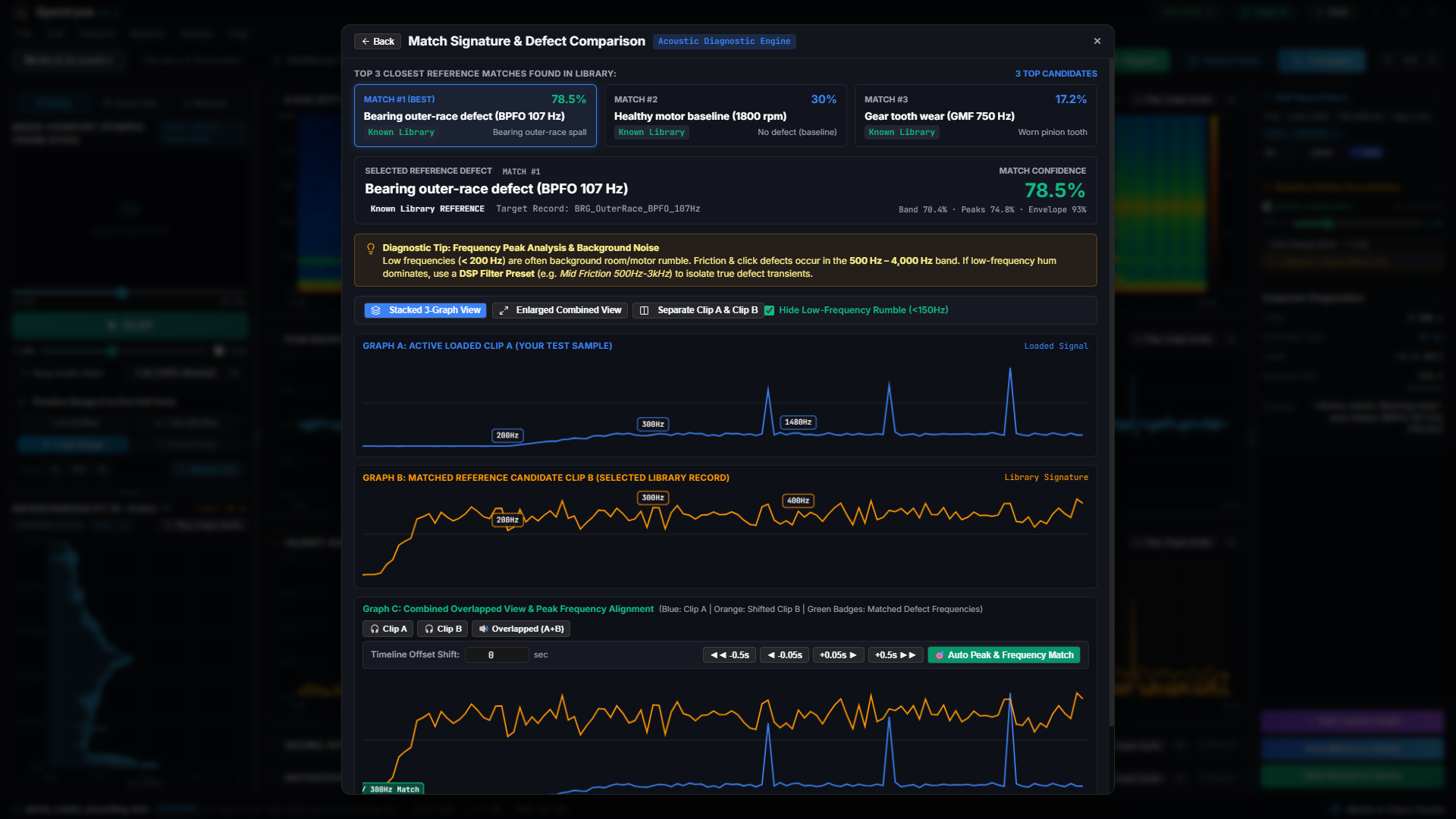
Save good and faulty recordings to your library. Spectryse compares each new recording with them.
- Match from Library. One click compares the sound of the active recording with every reference signature in your library: its band spectrum, its tones and the rate at which impacts repeat. You get the three closest matches, each with a match score, the profile name and a suggested action.
- Baseline subtraction. Set a known-good recording as the baseline. Spectryse subtracts its spectrum from the spectrogram and the vibration spectrum, so the defect stands out.
- Level doesn't skew the result. Match scores compare the shape of the sound, not its loudness, so a recording made close to the machine compares fairly with one made further away.
- Side by side. Overlay a reference recording on the active one and line up their peaks automatically, or shift them by hand.
Vibration and machine health
Tools for rotating machinery: severity, bearing and gearbox fault frequencies, and multi-channel signals.
- ISO 10816 and ISO 20816 severity. Overall vibration velocity in mm/s RMS, graded into zones A to D with a pass or fail verdict.
- Bearing fault frequencies. Enter the bearing geometry and shaft speed to get BPFO, BPFI, BSF and FTF, and see them against the spectrum.
- Gearbox frequencies. Gear mesh frequency and its harmonics, hunting tooth frequency and sidebands, from the tooth counts and speed.
- Envelope spectrum and order tracking. Demodulate a resonance band to reveal repeating impacts. Track orders against speed in a Campbell diagram.
- Scope view. See the waveform as a scope trace with an adjustable time span and gain.
Data in, reports out
Work with the files your other tools already make.
Universal File Format 58
Import and export UFF dataset 58 (.unv) records, the common format for test and measurement data.
Engineering CSV
Read CSV and TSV time series. Spectryse detects the headers, units and sample rate.
CSV and Excel reports
Export results, timestamps and suggested actions as a CSV or Excel (.xlsx) report. Export signals as engineering CSV.
Save to Library
Keep recordings as reference signatures for future comparisons.
How it works
From a recording to a report in five steps.
- Import
Open a video, an audio file, a UFF 58 record or a CSV log.
- Look
Play it back with the spectrogram, waveform and envelope in sync.
- Clean up
Filter the band and subtract a baseline recording.
- Compare
Match against your library and check severity and fault frequencies.
- Report
Save the recording to your library and export a CSV or Excel report.
Who it's for
Engineers and technicians who need to know what a sound or a vibration means.
Machine condition monitoring
Grade vibration against ISO 10816 and ISO 20816. Check bearing and gearbox fault frequencies. Use the envelope spectrum and order tracking on rotating plant.
NVH
Study noise and vibration with the spectrogram, envelope, 1/3-octave bands, order tracking and psychoacoustic loudness and sharpness. Exchange data with UFF 58.
Quality assurance
Compare each unit with known-good and known-faulty recordings. Subtract the baseline noise, read the match score and suggested action, and export a report.
Platform
A desktop app for Windows. Your recordings stay on your computer.
Windows desktop
Built for Windows 10 and 11, as an installer or a portable program that runs without installing.
Local analysis
The signal processing runs on your computer. You don't need an account or an internet connection to analyse a recording.
File associations
Opens Universal File Format 58 (.unv) files and its own saved session files (.spectryse).
Live inputs
Besides recordings, Spectryse can read live signals from an audio input or a USB serial data logger.
Spectryse for Windows is nearly here
Spectryse launches in early December 2026. Downloads and buying open then; a licence is USD 39.99.